
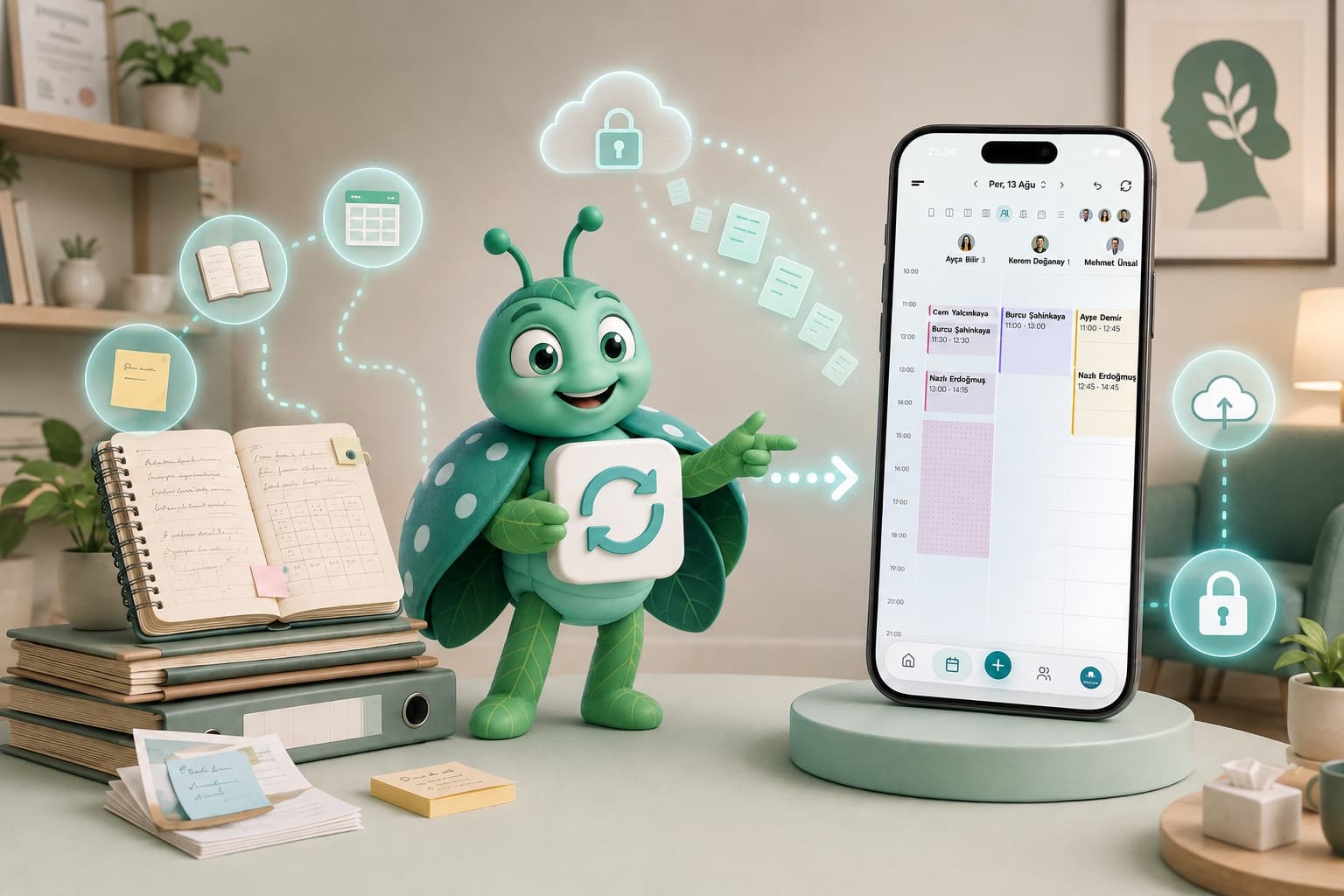
Think about the client data you've built up over the years. It's not really a list. It's session dates, who'd rather get a text than a call, diagnostic notes, payment history, that Tuesday 9:40 slot someone kept missing. Every bit of it is the relationship you've built with a person, just written down.
Which is why switching scheduling tools is a decision most therapists keep putting off. Sometimes for years. And the reason is almost never the new software itself. It's one quiet fear: how do I move all of this without losing any of it? So let's walk through that fear together, step by step, in a way that keeps you on the right side of KVKK (Turkey's data-protection law, the local equivalent of GDPR).
Why Do Therapists Delay Switching Scheduling Software?
Here's the thing: the hesitation is hardly ever about the new tool. It's about the data. Years of client history sitting in one place, and moving it feels like a gamble. What if a record vanishes? What if someone slips through the cracks? And what about the consent forms, all the legal stuff?
Fair worries, every one of them. But standing still has its own price, and honestly it's the quieter, more expensive one. Every month in a system that no longer fits you piles on a little more friction: reminders you send by hand, notes scattered across three places, no-shows you could've headed off, paperwork stacking up on the desk. Migrating is a one-time job. Working without a real system? That's a tax you pay every single week.
And if your "system" happens to be a spreadsheet, that tax climbs even higher. Here's why tracking clients in Excel gets risky the minute your practice starts to grow.
What Should You Decide Before You Switch?
Three questions. Settle them before you so much as touch the new system.
What am I moving? Everyone, or just the active clients? The old session notes, or a clean slate starting today?
Can I even get my client list out of my current system? Some tools hand it over easily. Others lock the data in and make you work from a printout or the screen itself.
How does consent carry over? Do I need fresh disclosure and consent forms, or do the ones I already have still hold up?
Answer those three, and the shape of the whole migration snaps into place.
How Do You Migrate Your Client Data Without Losing Anything?
The short version
Migrating client data isn't a single click. It's a short, ordered run: clean the data, get your list ready to photograph, tell your clients, bring it over page by page, then verify a sample against the old system. Do the five steps in that order and nothing gets left behind.
That's the map. Now let's get into the detail, one step at a time.
Step 1: How to Clean Up Your Existing Data
A switch is the best excuse you'll ever get for a proper clear-out. So don't skip it.
Start with your active list. A client who hasn't booked in twelve months? They may not really count as active anymore. Do you migrate them, or archive and delete?
Then there are the duplicates. Nearly every therapist running on Excel has the same person entered twice, sometimes three times over. Sort by phone number and they surface fast.
Half-finished records come next. A row with a name and nothing else, what's it actually earning its keep for? Fill it in, or let it go.
And then the old ones. Where the KVKK retention period has run out, hanging onto the data isn't just clutter. It's a liability. A client whose last session was eleven years ago has no business still sitting in your files.
An evening's work, usually. By the end you've got a clean, consistent, import-ready list.
Two Ayşes, one phone number
A therapist opens her spreadsheet to export and finds the same client, Ayşe K., entered three separate times: once from a 2023 referral, once when she rebooked, and once with a typo in the surname. Three rows, one person, slightly different notes on each. Migrate that as-is and the new system just inherits the mess. Ten minutes sorting by phone number before the export, though, and Ayşe becomes one clean record instead of three.
Step 2: Get Your Client List Ready to Photograph
You don't need to convert anything into a special file format. Whatever your list already lives in, a printed page, a notebook, or the screen of your old system, a tool that reads it directly from a photo skips the conversion step entirely. Just make sure each client's name, phone number, and next appointment are legible on the page.
Your columns will look roughly like this:
- First name
- Last name
- Phone number
- Email address (if you have it)
- Date of birth (if you have it)
- Notes (short, and KVKK-appropriate)
- Date of first session (if you have it)
- Diagnosis or area of work (if you have it)
One row per client. And the column names can be in any language, Turkish or English, whatever you like, so long as you stay consistent about it.
Step 3: How to Inform Clients Under KVKK
When you hand client data over to a new processor, and that's exactly what your new scheduling software is, letting people know is simply good manners. Often it's the law, too.
Nothing elaborate here. A short SMS or email to your active clients does the job. Something like: "I'm moving my practice to a new, KVKK-compliant platform. Your data stays protected to the same standard. Any questions, just reach out."
That one message covers your transparency obligation, and quietly, it tells clients they're with someone who runs a tidy ship.
Step 4: How to Bring Your Data Into the New System
A decent tool makes this boring, and boring is precisely the point. It goes something like this:
You photograph a page of your list. The system reads what's on it.
It shows you what it found, name, phone number, next appointment, for each client on the page.
You review it, fix anything it misread, and approve.
You move to the next page and repeat.
A page at a time rather than one big drop, but each page takes under a minute to review and approve.
Step 5: How to Verify That the Migration Worked
Import finished doesn't mean the job's finished. Two quick checks stand between you and a nasty surprise a few weeks down the line.
Spot-check. Pull five or ten clients and lay the old system side by side with the new one. Did every field land where it should have?
Count the totals. Same number of clients in the new system as the old? Nothing dropped along the way, nothing duplicated?
Then leave the old system running for thirty days. Don't delete a single thing. If a gap turns up in that window, the original is right there to patch it from.
The gap the old system caught
A therapist photographs the last pages of her old client list on a Sunday night, checks a handful, and everything looks right. Three weeks later a client mentions she never got her reminder. Turns out her phone number was smudged on the original page and got read wrong, and nobody caught it at review time. But because the old system was still running in parallel, the number was two clicks away. Fixed in a minute. Had the old data already been wiped, that number would've been gone for good.
What Should You Do with Past Session Notes?
This is the tender part. Session notes are special-category personal data under KVKK, the most protected tier there is, and there can be a whole lot of them.
You've got three ways to play it:
Leave them behind. Keep the old notes as an archive and start clean in the new system. Simplest option by far. It's also the biggest hit to continuity.
Bring across summaries. One short "where we are" paragraph per active client, typed into the new system. You lose some detail. But you keep the thread.
Move everything. All the notes, in full. The thorough option, and the one that eats the most hours.
For most therapists, the middle path wins. A summary per active client keeps the migration light, and it doubles as a chance to look at each case again with fresh eyes. And if you want those summaries to actually earn their place later, our guide to writing session notes is worth a read first.
What to Expect in the First Week After Switching
A new system slows you down at first. That's completely normal, not a warning sign. And a few small habits smooth it right over:
Give yourself ten extra minutes of buffer that first week. Rushing while you're still hunting for the right buttons? That's exactly how mistakes creep in.
Keep an eye on the automated reminders by hand for a bit. Right person, right time, before you trust them to run on their own.
Email support the moment something looks off. First-week questions tend to jump the queue with most decent vendors.
By week two, the new system stops feeling new. It just becomes how you work.
Why Is Switching Worth the Effort?
Switching costs you an afternoon. Putting it off costs you years, and years add up to more, because every month in the old setup the friction and the risk keep quietly compounding.
Make the move, though, and the payoff shows up right away, then keeps on showing up:
- Less admin. Automated reminders and a single client record handle the chasing you used to do by hand.
- Fewer no-shows. Clients get timely reminders across more than one channel, and confirm with a single tap.
- Cleaner records. Everything lives in one encrypted place, instead of drifting across scattered files and folders.
- Less to worry about legally. Encryption, backups and access logs come built in, not improvised the week before an audit.
- Nothing slips. No client, no follow-up, no note falls through a crack.
One-time effort, and it pays you back in time every single week afterward. And on the compliance side, our KVKK and GDPR guide for therapists breaks down what a compliant setup actually has to include.
Compliance isn't the feature you skip
Client records are special-category data under KVKK and GDPR alike. Encryption, access control, backups and audit logs aren't a nice-to-have you bolt on later. They're the baseline, and a spreadsheet parked on a shared drive doesn't come close to clearing it.
Your Migration Checklist
Planning the switch? Run down this list and you'll have the parts that actually matter covered:
- Active clients separated from dormant ones before you start.
- Duplicates merged, half-empty records fixed or removed.
- Records past their KVKK retention period deleted.
- Client list organized and legible, ready to photograph page by page.
- Active clients told about the move to a new platform.
- Each photographed page reviewed and approved before moving to the next.
- A sample of records, plus the total count, verified against the old system.
- Old system kept running in parallel for 30 days as a safety net.
Migrating Your Data to Calemio
Calemio reads your client list straight off the page, and the whole flow was built with this exact migration in mind. Photograph your notebook, your old system's printout, or even a screenshot, and the AI pulls out each client's name, phone number, and next appointment for you to review and approve, page by page, and your data lands encrypted on the way. End-to-end encryption in transit, EU data centers at rest, a KVKK-compliant structure wrapped around the lot of it. Get stuck partway? The support team will walk through it right alongside you.
Start with the free plan and migrate today. No card needed. Switching isn't the scary part. Working without a system is.
Frequently Asked Questions
How do I migrate client data to a new scheduling software?
Clean your existing data first, then get your client list ready to photograph, printed, on screen, or in a notebook. Photograph it page by page and review what the AI reads off each page, name, phone number, and appointment details, approving as you go. Then finish by verifying a sample of records against the old system before you delete a thing.
Do I need to convert my client list to a particular file format first?
No file conversion needed. You photograph the pages of your existing client list, printed, in a notebook, or on screen, and the AI reads each client's name, phone number, and next appointment straight off the page for you to review and approve.
Is switching scheduling software KVKK-compliant, and what do I need to do?
It can be, as long as your new provider stores data securely and you handle consent the right way. Let your active clients know you're moving to a new KVKK-compliant platform, confirm whether existing consent forms still hold, and delete any records whose legal retention period has run out. Session notes are special-category data, so treat them with extra care.
Should I migrate my old session notes?
You've got three options: leave them archived in the old system, migrate a short summary per active client, or transfer everything in full. For most therapists, a one-paragraph summary per active client strikes the best balance between continuity and effort.
How long does migrating client data take?
Photographing and approving your list usually takes a minute or so per page, so the whole batch is normally done well within an afternoon. Cleaning up your existing data beforehand is typically an evening's work, and you'll want to keep the old system running in parallel for about 30 days as a safety net.
What if I lose data during the switch?
This is exactly why verification matters. After importing, compare a random sample of 5 to 10 client records and check the total count against the old system. Then keep the old system live for 30 days, so the original source is still right there if a gap turns up.
Related articles



Start using Calemio for free
Encrypted, compliant and simple. Built for independent therapists and clinics.
Start free